





Key Takeaways
- Claude’s approach to design combines conversation-based reasoning with visual creation, positioning it perfectly for layout evaluation, copywriting-centric user interface design, and design systems upkeep.
- Claude’s Sonnet 4.5 and Opus 4 are able to interpret Figma frames, create Tailwind components, and communicate accessibility considerations in straightforward terms.
- Organisations have noted a speed boost between 30% and 55% on landing page and dashboard mock ups when using AI technology judiciously.
- Optimal performance is achieved by providing clear instructions, branding documents, and oversight throughout each step of the process.
- Craft, craftsmanship, and trust remain important – Claude supports talented designers, not substitutes for them.
What Claude Design Actually Means in 2026


- This term originally referred to using Anthropics Claude design visually. It is now considered an entire field: a hybrid approach involving designers employing large language models to make decisions about hierarchy, to code components, to check accessibility, and even to create brand voice systems. Unlike pure image generators, Claude design operates using language, making it very effective when it comes to making decisions in areas that need some form of judgment – naming conventions, spacing rules, content strategy, information architecture, etc.
- Conversational critique: upload a screenshot and get sophisticated critiques based on contrast, rhythm, and visual balance.
- Component creation: explain a component and receive an accessible JSX component coded in semantic elements.
- System design: upload a style guide in PDF form and have the model extrapolate it to new interfaces.
Why Designers Are Switching to AI-Assisted Visual Workflows


Deadline stress has long been a part of life for creative professionals, and in recent years, expectations have grown even higher. Clients need three landing page designs by Friday, icons redesigned by Monday, and the on-boarding experience upgraded by the start of the next sprint cycle. Generative technologies assume all of the cognitive drudgery variation generation, naming, and iteration of copy so we can focus on areas that truly make a difference.
Less context switching among Figma, Notion, and code editors.
Quicker prototyping of layout options without manually duplicating designs.
More time spent on research, customer discovery, and competitive positioning.
Easier access for non-designers to generate a credible first draft.
As per a 2025 Forbes Tech Council study, 68% of in-house design managers use at least one large language model weekly, with almost half relying heavily on the assistance offered by Anthropic’s AI for written and structural guidance.
The Shift From Tools to Collaborators
Programs such as Sketch and Figma became popular because they could be relied upon to deliver predictably. Whereas the AI collaborators have exhibited behavior that’s almost akin to that of an intelligent junior colleague; one who doesn’t need sleep, doesn’t complain when it comes to stakeholder changes, and has the capacity to memories the entire brand guide.
Core Capabilities That Make Claude Effective in Visual Design

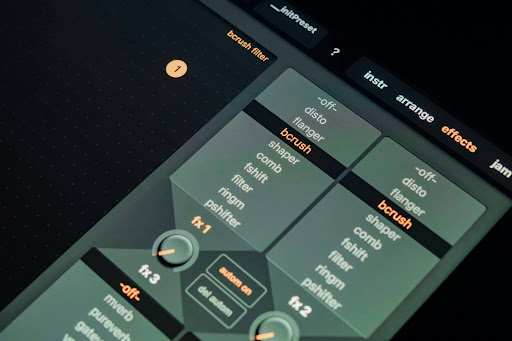
Here are some features that consistently emerge in the process of development. They are not supernatural, just friction-less helpers at the right moment.
1. Logical Analysis of the Layout and Hierarchical Structure
- Explain why the layout looks unbalanced in terms of optical weight, negative space, and Gestalt grouping principles.
- Proposes measurable changes adjust the padding from 16px to 24px, raise line height to 1.6, and switch the H2 font weight to 700 from 600.
- Provides comparative analysis between two images and creates an analysis report with priorities.
2. Ready-to-Use Component Code
- Generates React + Tailwind components, taking into account your design tokens.
- Creates accessible markup with all necessary ARIA roles, focus state and keyboard controls.
- Refactors old CSS code into semantic systems without compromising visual identity.
3. Consistent Brand Voice and Microcopy
- Changes the tone immediately – playful for a consumer product and serious for a regulated fintech company.
- Writes empty states, error messages, and onboarding tips within seconds.
- Creates consistent microcopy for multiple surfaces according to the voice guide.
4. Rapid Accessibility Audit
- Finds WCAG accessibility issues based on a screenshot or colour values.
- Proposes semantic HTML elements as an alternative to div soup.
- Explains why a particular design pattern is inaccessible in human terms.
Real Case Studies: Teams Shipping Faster
Case Study 1: Boutique Agency Reduces Delivery Time for Landing Pages by 47%
North-beam Studio is a boutique digital agency in Austin made up of six people who adopted Anthropic’s assistant technology early in 2025 for creating client landing pages. Prior to that, their average delivery time was 14 workdays from project launch to staging. Using the model for wire-frame design, copy-writing, and Tailwind components development reduced the delivery time to 7.5 workdays, or a 47% reduction from the old average. According to Maya Chen, who founded Northbeam Studio, this success comes from “never starting from a blank canvas”. The agency has a perfect rating of 4.9 stars on Google Reviews from 187 clients and 12,400 LinkedIn followers.
Case Study #2: A Solopreneur Redoing a $40,000 Rebrand on Their Own
Diego Rivera, a solopreneur SaaS software founder, rebranded his product for analytics within a weekend. Rivera uploaded his style guide, customer interview data, and three images from competitors. The assistant created a colour palette, provided him with a wordmark brief to provide to his illustrator, and wrote twenty pages of marketing material. In essence, Diego Rivera saved about $40,000.
How to Create an Efficient Workflow for AI Designing
The majority of the groups that do not achieve success with AI technologies fail since they perceive them as a sort of slot machine where they pull the lever and hope for gold. The groups that have achieved success see it as an apprentice with infinite patience and no memory.
Step 1: Create a Context Pack
- Guidelines on brand voice (1-page document, in clear language).
- Design tokens in JSON or tabular form.
- A few screenshots of your visual identity inspiration.
- Some list of competitors to make sure that you do not copy their designs.
Step 2: Use Role-Based Prompts
- “Write this from the perspective of an experienced designer critiquing the junior.”
- “You are an expert on accessibility; point out every single violation of WCAG 2.2 AA.”
- “Treat yourself as the user who sees this for the first time at 11pm on mobile.”
Step 3: Iterate in Small Loops
- Make only one change during each turn (simplifies evaluation).
- Always request an explanation of the model’s logic behind the suggestion before making a change.
- Store successful prompts in a central repository to benefit everyone on the team.
Best Prompt Patterns For Visual Projects
By far the most significant factor in determining the success of output is the prompt design. After analysing many sessions, three prompt patterns stand out.
The Critique Prompt Pattern
“Insert your image here and name the three weakest things about it that negatively impact its ability to convert visitors. Rank them in order of importance and suggest how to fix each one.” The limitation of three makes you prioritise.
The Variation Prompt Pattern
“Design four different versions of this hero block. De
sign one minimal version inspired by Swiss design, one editorial version like a magazine page, one fun consumer version, and one professional version. I have provided my tokens.”
The Constraint Pattern
“Redesign this dashboard assuming the user has 1.5 seconds before deciding whether to keep using the product.” Tight constraints push the model toward sharper choices.
Bringing Claude into Figma, Webflow, and Code
The most effective way to integrate Claude design is by having it right where work takes place. Here are a few valuable integrations worth doing this quarter:
Figma plug-ins to bring selected frames to a chat window for immediate critique.
VS Code plug-ins to take screenshots and get back components.
Webflow workflows built around the exportation of CMS content for landing page variation creation.
Connections between Notion and Linear to have meeting notes turn into design briefs automatically.
Documentation around capability is best sourced from Anthropic’s resource centre. You may want to check out our own internal documentation for AI workflows as well.
Common Mistakes and Solutions
Concluding Too Early on Output
Even a good model will sometimes generate spaces, component props, or descriptions that are completely wrong but highly confident about being correct. Always check.
Forgetting to Provide Brand Context
A voice guide and tokens are required if you don’t want generic startup branding. This is brand design’s version of stock photography; five minutes of context is worth ten times that value.
Discussion on Ethics, Trust, and Art
Generative models have brought renewed attention to issues related to authorship, data, and creative work. Ethical use involves transparently disclosing the use of AI in any project to your customers, ensuring fair remuneration for people involved, and resisting the urge to sacrifice quality for quantity. Anthropic regularly provides updates on AI safety, and it makes sense to read them once a quarter.
Where the Field is Going Next
Critique using multiple modes, observing a user test from a Loom recording and generating insights.
Design System Enforcement lives in Figma, catching instances of token drift as it happens.
Interface design personalised for every user based on their individual accessibility requirements.
Shorter feedback loops with engineers receiving perfect tickets with code skeletons created for them.
FAQs
Is Claude better than other AI tools for visual tasks?
That depends on the job. Claude design excels in complex reasoning jobs, such as critical evaluation and system creation. Dedicated diffusion models are currently more suitable when it comes to image generation.
Is coding experience necessary to use these tools effectively?
Not at all. Many of the most effective use cases – critical evaluation, copywriting, defining unique brand voice and language, and synthesis of research – do not require any coding skill. Code writing can be used but is not required.
Will AI take over design positions in the next five years?
Not likely. Currently, the most successful implementations involve combining a good human designer with a good model. The job itself will change towards orchestration, taste, and critical decision-making – skills that remain hard to automate.
What rate should I set as a freelancer using AI?
Price by the result and not by hours worked. If using AI reduces your deadline from two weeks to four days without diminishing quality, then you should reflect it in your billing. Experienced freelancers claim that their fees went up 20–40% once they started using these tools.
Deeper Dive: Developing Your Own Claude Design Practice


Implementation at the group level may make headlines, but sustainable adoption often begins with the individual practitioner developing his or her own practice with these tools. Those designers that seem to derive the maximum value from these tools often do so through similar behaviours worth emulating. For starters, they use each new design project to fine-tune their personal library of prompts, they curate a swipe file of what has and hasn’t worked for their outputs, and they analyse their tool usage quarterly to see how they’ve sped up on certain tasks.
Maintain a single Notion page titled “Prompts That Worked”; dump, tag, and revisit weekly.
Time yourself from start to first draft in all projects; the measure will show where automation saves time.
Run a “tool fast” once per month; dedicate an entire day to design without AI.
A Rubric for Assessing Output Quality

Without an agreed-upon rubric, it’s all too easy to be satisfied with something just because it looks good. The groups delivering the highest-quality products assess all outputs with a basic five-point rubric before releasing them. Implementing the rubric in a consistent fashion makes a real difference in the quality of everything within a couple of weeks.
Clarity: Is there enough clarity in the primary action within three seconds?
Hierarchy: Do the weights of the elements correspond with their business importance?
Consistency: Are spacing, typography, and colours consistent with the current design system?
Accessibility: Has the project met the WCAG 2.2 AA standard at least, with proper focus states?
Distinctiveness: Is it unique to your brand, or could a competitor release it without issues?
Pricing, Tooling, and Stack Advice
In just the last year-and-a-half, the numbers behind an AI-augmented reality practice have changed significantly. One license of an effective business plan runs well under one hour of high-end design work per month, with productivity increases being measured in days. The calculation is almost never close. On the other hand, picking the best tools is much more important than pursuing every update.
A Practical Initial Toolkit
An AI design platform that supports extensive context, plus some other reasoning-focused AI services.
Figma, plus two or three well-chosen extensions, rather than twenty.
An AI extension in your favorite code editor, capable of generating components.
- Project management software that works and is used by the whole team.
- A prompt library, whether it be a basic Excel file or something else.
Looking Ahead: The Next Eighteen Months
Forecasting AI timelines can be a humble undertaking, but there are several trends that seem pretty clear. Multi-modal capabilities will continue to expand, with assistants gaining an ability to make sense of video tutorials, animations, and screen shares. Inference on-device will cut down on latency and increase security, allowing real-time collaboration within design applications to become a reality. Fine-tuned, specialised versions will crop up for areas such as healthcare interfaces, financial dashboards, and accessibility-focused products. It’s the teams who build out the foundational practices today that will be best prepared for every new iteration.
Preparation of the Team in Terms of Culture
The tools can be changed once a week, but culture cannot be changed that often. The practical value that has the highest half-life lies in helping your team think through what situations call for the human element and what situations call for machines’ help. Conduct reviews quarterly, and focus on craft, satisfaction from clients, and the enthusiasm of your team. Applaud the projects in which people and machines worked together.
Workflow Playbooks for Certain Kinds of Projects
Theories can only take you so far. The quickest path to ingraining any new process is by following a set playbook, delivering a tangible artefact, and tailoring the process to fit your situation. The playbooks listed below summarise how highly productive teams operate when tackling certain kinds of projects that arise frequently in their work. These playbooks should be considered guidelines rather than hard-and-fast scripts.
Playbook Two: A Marketing Landing Page in a Single Day

Start the day collecting three pieces of information: the product pitch line, the top customer issue, and three competing landing pages. Merge all this into one context file. Have the assistant write five different headlines based on five different emotions. Select two and get corresponding subheadlines, hero illustration briefs, and a three-section page layout. After lunch, develop the Tailwind component markup, copy-and-paste it into your project, and dedicate the afternoon to fine-tuning typography, animation, and the hero image. Finish the day with a believable v1 landing page for review tomorrow.
Morning: research distillation and headline ideation.
Midday: page structure, subheadlines, and visual briefings.
Afternoon: coding and visual refinement.
Evening: stakeholder presentation-ready URL.
Playbook #2: Redesign Sprint of a Dashboard
The beauty of dashboards lies in their structure. Begin by providing the assistant with all screens of the current state in the form of screenshots and give the description of three tasks that the dashboard is supposed to accomplish. Get an information architecture review done before starting any work with the visual interface. After making sure that the IA makes sense, proceed to ask for wireframing at the component level. Continue with creating a high-fidelity version using a design tool. Use the assistant to create empty, loading, and error states.
Playbook Three: A Brand Update Without Going Through an Agency


Many founders require a brand that communicates gravitas without spending hundreds of thousands of dollars on an agency. Share your story with the assistant, your top three competitors, and a mood board with examples from outside your industry that you admire. Request a brand voice document first, followed by a color palette exploration and type pairings. Give this briefing to a freelance artist for the logotype. The assistant will not be able to substitute for a real human in creating the bespoke work, but it can limit the amount of handcrafting required, leaving budget for what really matters.
Playbook Four: Accessibility Remediation Project

Products built long ago will have accumulated a significant accessibility deficit. Show each screen to the assistant, ask for a prioritised list of remediations based on the WCAG 2.2 guidelines, and give a list of code changes needed for the ten most serious issues. Include an additional manual test using a screen reader – automated tests catch around seventy per cent of problems, while the remaining thirty are found manually. Document each improvement in your design system.
The Real Impact of AI Tools in Your Practice
The promises of efficiency associated with AI tools can quickly become inflated. The actual metric by which their effectiveness should be measured is impact in the process in which they are used. It is important to remember that metrics worth measuring aren’t always immediately clear.
Metrics like lines of code written through AI are less important than customer happiness scores. Metrics like hours saved are less important than the richness of conversations made possible by the elimination of the need for routine tasks. Measure what is unglamorous and soon find out what areas of the practice deserve investment.
Average time elapsed from project initiation to the first stakeholder check-in.
Number of different creative approaches tried for each project.
Number of revision rounds taken before receiving final approval.
Average self-perceived energy levels after a work day.
Win ratio in sales pitches including AI generated material.
A Few Common Myths that Deserve to Die
There are a few myths about the use cases for these tools that come up repeatedly and impede productive discussions of their capabilities. Dispelling these misconceptions will open the floor for more meaningful discussion.
Myth: The Output will be generic.
Garbage in, garbage out. Those who provide the assistant with high-quality input in the form of voice prompts, tokens, references, and constraints always receive output that stands out. This is an extension of yourself; what you seed, you harvest.
Myth: Only Junior Designers Need These Tools
The most senior designers derive the most benefit from this tool because they are able to quickly identify good design, properly prompt the assistant, and know when to ignore the suggestion made by the model. More seniority means more leverage.
Myth: It Will Make Everything Uniform
Not at all! Decreased costs for design mean more small teams can create innovative interfaces that stand out more and have fewer similarities to one another. Diversity in interfaces has become easier to achieve.
Tools, Plugins, and Resources Deserving of a Bookmark
There have been quite a few developments in the field of AI-assisted creation, and some tools have emerged that can be considered useful for a wide range of people in the industry. In this section, I have only included those items whose effectiveness has been proven in actual projects that were discussed with experts while preparing this guide. Bookmark the following items for future use:
Official documentation by Anthropic for new functionalities and limitations of the models.
Some Figma plugins for connecting selected frames with the chat window.
Open-source libraries of prompts created by active studios at GitHub.
Newsletters from the industry that provide updates without getting caught up in hype cycles.
Quarterly community gatherings in person as well as online to exchange workflows.
Conclusion
The creative industry has survived every wave of automation through innovation, and this time will prove no exception. Creative professionals that embrace AI as a partner rather than an excuse are producing superior work, commanding higher rates, and finding joy in their practice once more. The technology will get better; however, what does not change are empathy toward users, a keen eye for visuals, and the ability to question every assumption. If you have never tried before, begin modestly. Choose a project that needs to be completed this week, prepare a solid context pack, and let the assistant provide the first draft. You will probably be impressed at how far your sensibilities can take you when the tedious tasks are taken care of. Want to see for yourself? Click here to get started.


